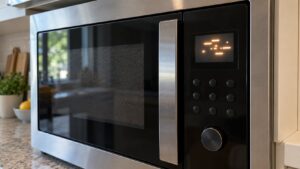
When a GE microwave clock display flashes zeros, drops segments, flickers or stays blank, the most common cause is a power interruption that reset the clock, and the fix is simply to set the time again. If the display is still blank, flickering or missing segments after a one-minute power cut and a live outlet, the cause moves to the display board, the control board or a blown fuse on the control circuit, which is a technician’s repair. The way the display misbehaves tells you which of these you are dealing with, so look at the pattern before you act.
Why is the clock display on a GE microwave not working?
Our page on the GE microwave display not working problem lists four causes in order: a power interruption that reset the clock, a failed display board, a failed control board and a blown fuse on the control circuit. The first is by far the most common, and it is completely normal: after an outage or a flicker, the microwave forgets the time and shows blinking zeros until you set it. The other three are real failures, and they differ in how the display behaves, which is the idea behind this diagnosis.
Work from the cheapest check to the most expensive. Spend two minutes on the power and the outlet before you suspect a board, and note what you see at each step, because the notes will help a technician if you end up booking a visit. If the microwave has stopped working altogether and not just the display, our microwave no power page covers that chain.
What does each display pattern point to?
Look at what the display does, and match it:
- Blinking 0:00 or 12:00. The power was interrupted and the clock lost its time. Set the time. If it happens again without an outage, check the outlet and the plug for a loose connection.
- Display blank, but the buttons beep. The controls are alive and hear you, so the problem is more likely in the display or its connection than in the whole control system.
- Display blank and nothing responds. Nothing reaches the controls. That points to a control board, a power supply fault or a blown control-circuit fuse.
- Flickering before it goes dark. The page lists this as one of the symptoms. It suggests a display board that is failing or a connection that is not steady.
- Missing segments. Parts of the digits are not lit, which usually means the display itself has failed in places.
Segments and flicker are a symptom, not a verdict. On this site there is no page that ties them to one part, so a technician has to confirm which board is at fault.
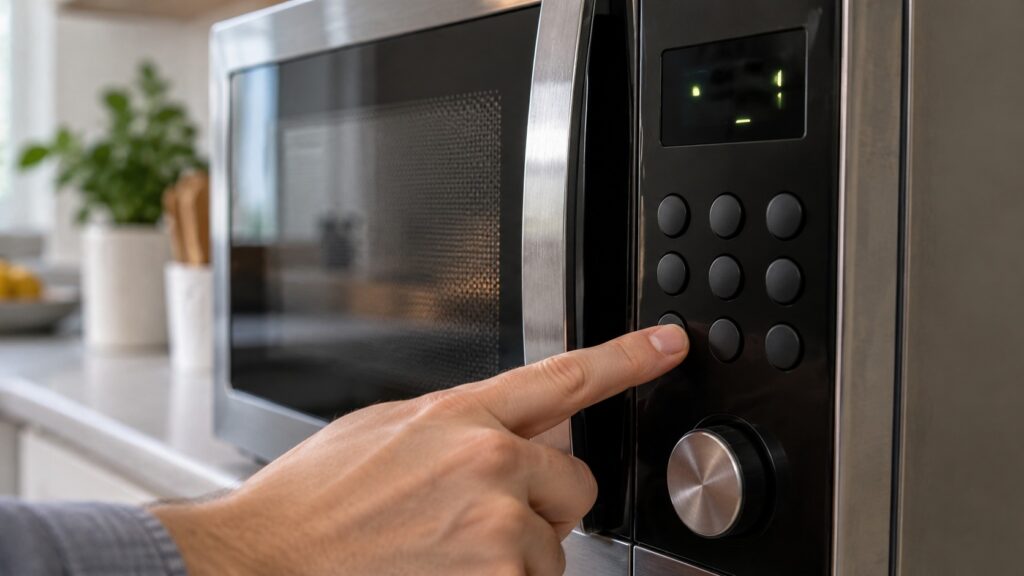
How do you reset a GE microwave display safely?
Cut all power for a full minute, and then restore it. For a plug-in unit, such as a countertop or an over-the-range model with a cord, unplug it from the outlet. For a built-in unit without easy plug access, switch the dedicated breaker off at the panel. Wait at least a minute, so the control board’s memory clears fully, then restore power and let the display start. You may need to set the clock again afterward. Our GE microwave reset guide goes through when a reset helps and when it does not, including the child lock and the control lock that can hide a working display.
Never open the case during this step. The inside of a microwave holds a capacitor that can hold a dangerous charge even when the unit is unplugged, so a reset is a power-off and power-on, nothing more.
What else can you check without opening the microwave?
There are two simple checks. First, prove the outlet has power by plugging in another device, such as a lamp. A dead outlet or a tripped breaker is a cheaper fix than any board. Second, press a button and listen for a beep, because a beep with a dark display points away from a total control failure. Do not run a cook cycle to test it while the display is dark: you cannot see the time or the power level, and a microwave should never run empty. Leave that test to a technician.
Could a code explain the display problem?
Sometimes the display is not blank but shows an F code. On this site, F1 is described as an open thermal sensor and F3 as a shorted touchpad, and each has a guide: GE microwave F1 and F2 and GE microwave F3. A code is better than a blank, because it tells you where to look. If the buttons do not respond at all, the page on microwave buttons unresponsive may match your case better.
When should you call a technician?
Call when the display stays blank or flickers after a full-minute power cut and a live outlet. The page rates this problem as low severity, so it is not an emergency, but a technician should test the display board and the control circuit fuse before any part is replaced, which avoids buying a board that is not the cause. Have the model and serial number ready. Our GE microwave repair service can do the test, and we can also tell you if a repair is worth it on an older unit. If you are weighing the cost, read our GE microwave repair cost guide.