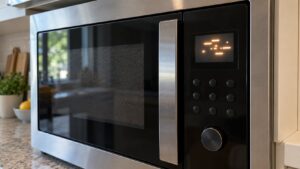
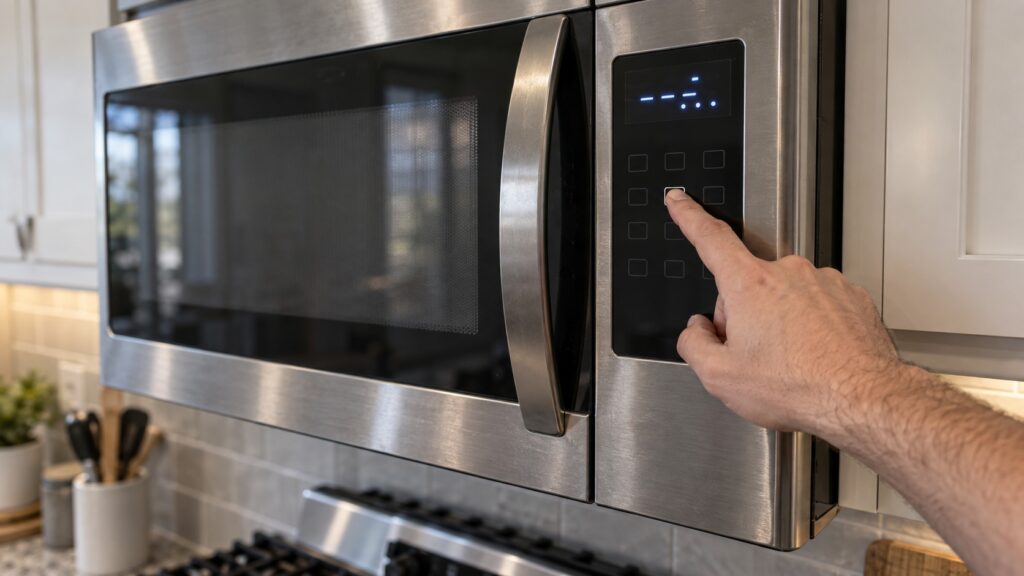
A GE microwave f3 code means the touchpad has shorted: the control is reading a button as held down when nobody is touching it. Nothing is wrong with the magnetron, the door switches or the high-voltage side. The microwave has simply lost the ability to tell a real press from a false one, and it stops rather than act on input it cannot trust.
What does the F3 code mean on a GE microwave?
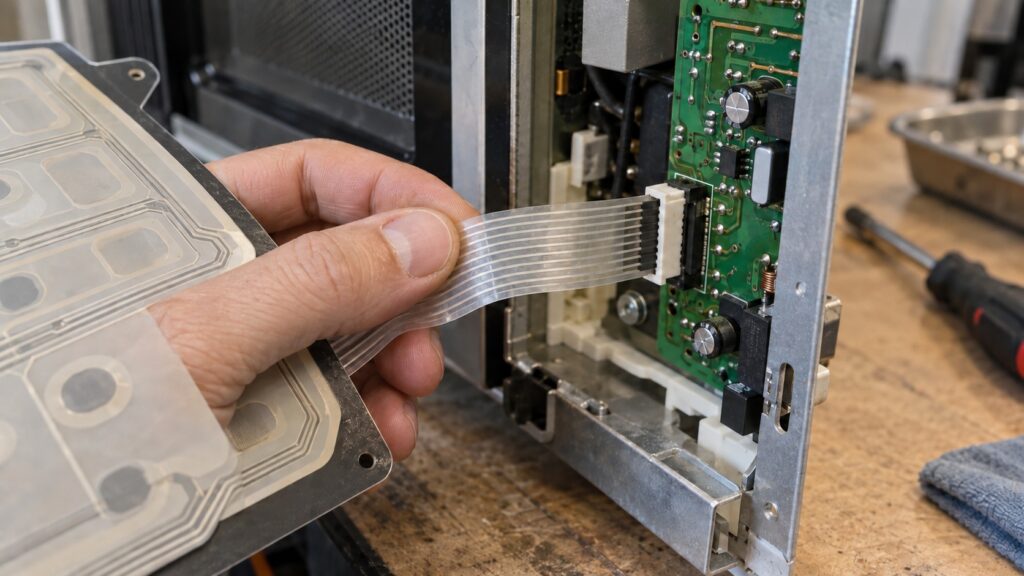
The keypad on a GE microwave is not a set of switches. It is a printed membrane: two thin plastic sheets with conductive tracks, separated by a spacer with a hole under each legend. Pressing a key squeezes the sheets together at that hole and completes one row-column pair, and the control reads which pair closed.
The control scans that grid many times a second and expects every pair to be open between presses. A GE microwave f3 code says one pair is closed and staying closed. From the board’s point of view a finger is resting on a key and never lifting, and there is no cooking command it can safely run in that state — so it posts F3 and waits.
Why does a shorted touchpad make the microwave behave strangely?
F3 rarely arrives out of nowhere. Most owners have already lived with a week or two of odd behavior and only later connect it to the code on the display.
- Keys that need a hard push, or that fire twice. The membrane is already marginal, and the contact is closing before you mean it to.
- The oven starting on its own after the door is closed, or a cook time that jumps while you are entering it.
- A shut-down that will not take. If the stuck key happens to be Start, the unit may keep running and ignore Cancel entirely.
- A panel that works when cool and fails when warm — very common on an over-the-range unit above a range that gets heavy use, because heat and steam rise straight into the control panel.
Steam is the main culprit on over-the-range models. Vapor drawn up from pans condenses inside the panel, and a film of moisture between the membrane sheets closes a contact long before the plastic wears out. The behavior side of this is covered separately on our page about GE microwave buttons that do not respond.
How do you tell the touchpad from the control board?
There is one test an owner can safely run, and it is worth running before anyone quotes for a part.
- Unplug the microwave, or switch off its breaker. For an over-the-range unit the plug usually sits in the cabinet above.
- Wait five full minutes. This drains the low-voltage side and clears the latched fault.
- Restore power and watch the display without touching anything.
If F3 comes back within a minute or two on an untouched panel, the short is real and physical — a membrane or its ribbon. If the display stays clean until you press a key, and the code then follows one particular key every time, that key is the failure and the diagnosis is settled. If the code never returns, you were looking at a one-time glitch, and our note on how to reset a GE microwave explains why a power cycle clears so many of these.
The one thing this test cannot separate is a bad ribbon connector from a bad board input, because both look identical from the front. That separation needs the panel off and a meter on the ribbon pins.
How is F3 different from F1 and F2 on a GE microwave?
GE numbers its microwave faults in a rough order of what is being blamed, and the first three are the ones owners mix up constantly.
The distinction is not academic: F1 and F2 frequently end with a control board, while F3 frequently ends with a panel that costs far less. Ordering the wrong one of those two is the most expensive mistake on this code, and it is why our separate guide on the GE microwave F1 and F2 codes is kept apart from this page rather than folded into it.
What is safe to do, and what is not?
Unplugging the unit, cleaning the panel face with a barely damp cloth, and running the five-minute test are all safe. Wiping the panel is more useful than it sounds on a unit above a range: grease on the outer face makes keys feel dead and encourages exactly the hard pressing that finishes off a membrane.
Do not open the cabinet. A microwave stores mains energy in a high-voltage capacitor that can hold a dangerous charge long after the cord is out of the wall, and the capacitor sits within an inch of the control panel a repair reaches through. On an over-the-range model there is a second hazard: the unit is heavy, mounted overhead, and it has to be supported before the mounting bolts come out. Neither of those is a reason to be nervous about the appliance in normal use — they are reasons to leave the cover on.
What does a repair for this code involve?
A technician isolates the microwave, discharges the capacitor, and lifts the control panel to reach the ribbon. The ribbon is unplugged and the grid is read with the panel out of circuit: a pair that reads closed with no finger on it confirms the membrane, and a grid that reads clean sends the diagnosis to the board input or the connector. Ribbons occasionally fail at the fold where they pass behind the trim, and that repair is cheaper than either part.
Work on this fault starts from a standard diagnostic visit and the estimate is confirmed before any part is fitted. We are an independent repair company, not a factory service arm, and on an older countertop unit we will tell you plainly when a panel costs more than the oven is worth. If the microwave also runs without heating, that is a different family of fault entirely — see our guide to the GE microwave magnetron and diode. The full code entry is at our GE microwave F3 reference. To have it looked at, schedule a visit or call (844) 524-4561 about GE microwave repair.