What means on your GE wall oven (ge oven not heating)
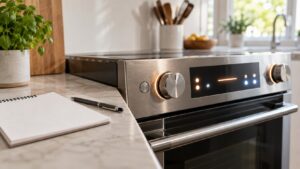
A ge oven not heating unit shows a set temperature on the display, but the cavity stays cool with no visible glow from the bake element. GE’s own electronic-control ovens can display an F3 or F4 sensor code, or an F5/F8/FF control code, when this problem escalates to that level, but plenty of no-heat cases never trip a code at all — they simply stay cold.
Symptoms
The signs below help confirm you are dealing with this condition rather than a different problem on your GE wall oven. You may notice one of them or several together, and they can appear gradually or suddenly after a power event, a wash or cook cycle, a spill, or recent installation or service.
- The display shows a set temperature but the oven interior stays cool
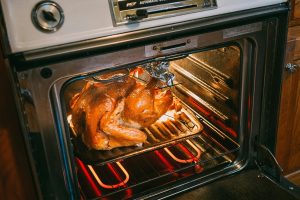
- The bake element never visibly glows orange through the oven window
- The oven light and other functions still work normally
- The problem appeared suddenly, with the oven previously working fine
Common causes
Several different problems can produce these symptoms. Working through the most likely causes in order separates a quick owner-level check from a problem that needs trained service and the correct GE parts.
- Burned-out bake element — a visible break, blister, or scorch mark usually confirms this
- Failed oven temperature sensor — the control cannot confirm cavity temperature to call for heat
- Control board failure — the board is not commanding the heat source at all
- Tripped high-limit thermostat — a safety cutoff has interrupted the heating circuit
Troubleshooting steps you can try
Work through these checks in order before calling for service. Stop wherever you are unsure, or where mains voltage, gas, a hot oven cavity, water, or a sealed component is involved, and hand the rest to a qualified technician.
- Look through the oven window for the bake element glowing orange within the first few minutes of preheating.
- Confirm other oven functions — light, fan, display — still work, which rules out a total power loss.
- Power-cycle the unit at the breaker and wait a minute before retesting.
- Avoid repeated attempts to bake in a cold oven; note the exact behavior for a technician instead.
Parts a technician may replace
Depending on what the diagnosis shows, a technician may inspect, test, or replace the bake element, oven temperature sensor, and control board. The correct part for your GE wall oven is matched from the model and serial number, and genuine OEM components are fitted through trusted parts suppliers rather than generic substitutes so performance, safety, and the appliance long working life are all protected. Confirming the failed part before ordering avoids replacing more than the problem actually requires.
When to call a technician
A no-heat problem on GE’s electronic-control ovens often relates to an F3/F4 sensor code or an F5/F8/FF control code; an experienced technician can confirm the specific problem and replace the element, sensor, or board as needed. Because this condition is rated High severity, it is safest to stop using the wall oven and arrange service promptly rather than keep retrying, and to shut off power or water at the source if anything looks, smells, or sounds unsafe. As an independent repair service we are not affiliated with the manufacturer, and we work only with experienced, skilled technicians and genuine OEM parts from trusted parts suppliers, with our workmanship backed by a 30-day labor warranty. When you book, have your GE wall oven model and serial number ready so the right part for your exact build can be matched before the visit and the condition resolved in as few trips as possible.
Related help and GE resources
If the condition keeps returning after these checks, book GE wall oven repair, browse our wall oven error-code guides and step-by-step repair guides, or schedule service in your area on our locations page. See also the related temperature inaccurate symptom. For full manufacturer specifications and model lookup, visit ge.com.